Author: Jason Baxter

  • When Should You Stop Using Spreadsheets for Business Accounting?

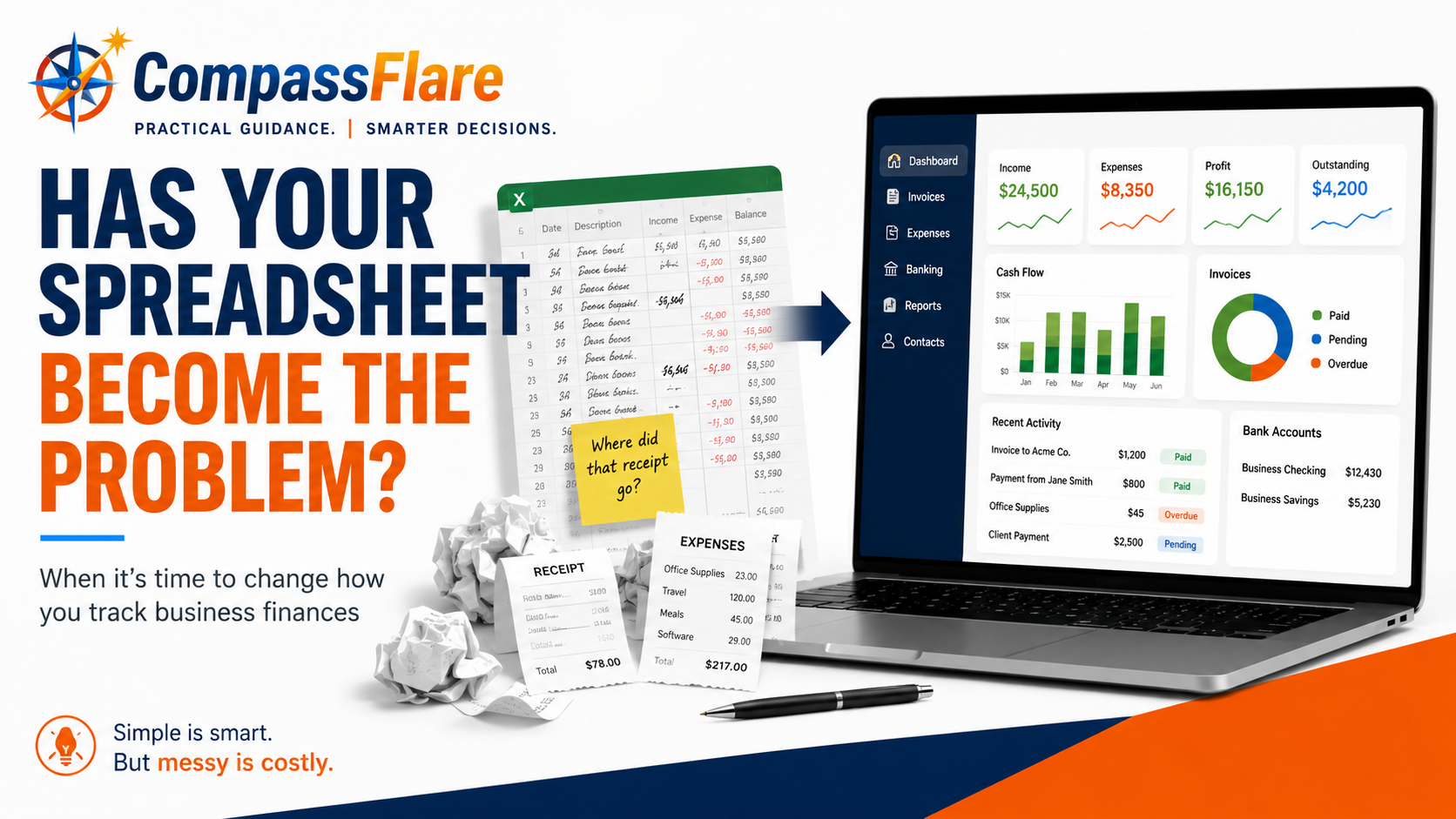
    When Should You Stop Using Spreadsheets for Business Accounting?

    If you started your business with a spreadsheet to track money coming in and expenses going out, you probably made a sensible choice.

    A freelancer with a few clients or a very small business with relatively few transactions may not need dedicated accounting software right away. A simple spreadsheet can be inexpensive, familiar, and perfectly adequate.

    But businesses change.

    You start sending more invoices. Receipts pile up. More payments move through your bank account. Tax time becomes harder. And eventually, the spreadsheet that once made things simple can start creating more work than it saves.

    So when should you make the switch?

    The answer isn’t simply when your business reaches a certain size or revenue level. The better question is whether your current system still lets you keep accurate records, understand where your money is going, and manage your finances without unnecessary work.

    Let’s look at the signs.

    First: You Don’t Automatically Need Accounting Software

    It’s easy to assume that running a business means you need a monthly subscription for accounting software.

    You don’t.

    A spreadsheet may still work well if:

    • You have relatively few business transactions.
    • You only send a small number of invoices.
    • Your expenses are easy to track.
    • You’re comfortable entering information manually.
    • You can quickly tell which customers have paid you.
    • Your financial records are organized when you need them.
    • Your accountant or tax professional is comfortable working with the records you provide.

    The important part isn’t whether you use a spreadsheet or software. It’s whether your system works.

    The Internal Revenue Service (IRS) allows businesses to choose a recordkeeping system appropriate for their needs as long as it clearly shows income and expenses. In other words, there isn’t a general rule saying every small business must purchase accounting software.

    For a new freelancer with three clients, buying an elaborate accounting system could create more complexity than value.

    CompassFlare guidance: If your spreadsheet is accurate, easy to maintain, and gives you the financial information you need, don’t replace it just because accounting software exists.

    What Does Accounting Software Actually Do?

    Before deciding whether you need it, it helps to understand what you’re buying.

    Accounting software is simply a tool designed to organize and manage your business’s financial information.

    Depending on the product, it can help you:

    • Record money your business earns.
    • Track business expenses.
    • Create and send invoices.
    • See which invoices haven’t been paid.
    • Connect transactions from a business bank account.
    • Organize receipts.
    • Prepare financial reports.
    • Give an accountant or bookkeeper access to your records.

    More advanced systems can handle additional jobs, but a small business may not need them.

    The real advantage is usually not that accounting software can do something completely impossible with a spreadsheet.

    It’s that the software can reduce how much of the work you have to do manually.

    Sign #1: You’re Spending Too Much Time Updating the Spreadsheet

    This may be the clearest warning sign.

    Suppose updating your spreadsheet takes 15 minutes each week. That’s probably not a serious problem.

    But what happens when you’re constantly entering transactions, checking bank records, finding receipts, updating invoices, and correcting information?

    At that point, saving the subscription cost may be costing you something else: your time.

    This is especially important for freelancers and business owners because bookkeeping competes with work that actually produces revenue.

    Ask yourself:

    How much time did I spend maintaining my financial records last month?

    If the answer surprises you, it may be time to consider a better system.

    Sign #2: You Can’t Easily Tell Who Owes You Money

    Imagine opening your spreadsheet and trying to answer a simple question:

    Which customers haven’t paid me yet?

    Can you answer within a few seconds?

    If not, the problem is becoming more serious.

    Sending an invoice is only part of getting paid. You also need to know whether the invoice was paid, when it was due, and whether you need to follow up.

    This becomes increasingly difficult as the number of customers and invoices grows.

    Many accounting platforms combine invoicing and payment tracking so you can see outstanding invoices without maintaining a separate manual list.

    For a business that depends heavily on client payments, that alone can make the switch worthwhile.

    Sign #3: You’re Losing Track of Expenses or Receipts

    A $12 business purchase doesn’t seem particularly important when you make it.

    Neither does the next one.

    The problem appears months later when you’re trying to remember what you purchased, where the receipt went, or whether you recorded the expense at all.

    A spreadsheet only contains the information you remember to put into it.

    As transaction volume increases, manual entry creates more opportunities for things to be missed or entered incorrectly.

    Some accounting platforms can connect with financial accounts, import transactions, categorize expenses, and store receipt information.

    You still need to review your records. Software doesn’t eliminate your responsibility to make sure they’re accurate.

    But it can reduce the amount of information you have to move manually from one place to another.

    Sign #4: Tax Time Means Reconstructing the Previous Year

    Here’s a useful test:

    If you needed an accurate summary of your business income and expenses today, how difficult would it be to produce one?

    If your answer is, “I’d need a weekend,” your current system probably isn’t working as well as it should.

    Good bookkeeping is ongoing recordkeeping, not a once-a-year reconstruction project.

    The IRS recommends recording expenses when they occur and identifying sources of income. For many small businesses, keeping records current throughout the year makes tax preparation much easier.

    That doesn’t necessarily mean you need accounting software.

    It does mean you need a reliable system.

    If maintaining that system manually has become difficult, software may be worth considering.

    Sign #5: You’re Not Confident the Numbers Are Accurate

    This is different from inconvenience.

    If you’re regularly wondering:

    Did I enter that transaction?

    Did I record this expense twice?

    Did that customer already pay?

    Does this number match my bank account?

    then you’re beginning to lose confidence in the information you’re using to run the business.

    Financial records aren’t very useful if you don’t trust them.

    Accounting software won’t magically eliminate mistakes. You can still enter something incorrectly or categorize a transaction the wrong way.

    But reducing repetitive manual entry and keeping related financial information together can make your records easier to review.

    Sign #6: Someone Else Needs Access to the Financial Information

    A spreadsheet is particularly easy when you’re the only person using it.

    Things become more complicated when you hire a bookkeeper, start working more closely with an accountant, add a business partner, or have employees who need access to financial information.

    Now you have to think about:

    • Which version of the spreadsheet is current?
    • Who changed something?
    • What information should each person be allowed to see?
    • How do you transfer records to your accountant?
    • Are important documents stored somewhere else?

    Accounting software can provide a central location for financial records and, depending on the product and subscription, allow other people to access the information they need.

    That can become increasingly valuable as a business grows.

    Sign #7: You Need More Than a List of Money In and Money Out

    A basic spreadsheet can be excellent at answering:

    How much did I earn?

    and

    How much did I spend?

    Eventually, you may start asking more complicated questions.

    How profitable was the business?

    How much do customers still owe me?

    How are expenses changing?

    Which parts of the business are making money?

    How much cash does the business actually have available?

    That’s when financial reporting becomes more useful.

    You don’t need to become an accountant to benefit from better financial visibility. You simply need to recognize when your business decisions require information that your existing system doesn’t provide easily.

    Spreadsheet vs. Accounting Software: A Simple Decision

    Don’t make this decision based on whether spreadsheets are “good” or accounting software is “better.”

    Ask which one fits your business today.

    Keep the spreadsheet if:

    Your transactions are relatively simple, you’re staying organized, manual entry isn’t consuming much time, and you can quickly understand your financial position.

    There is nothing wrong with keeping a simple system that works.

    Consider accounting software if:

    You’re spending increasing amounts of time on bookkeeping, losing track of invoices or expenses, struggling to keep records current, or finding that your spreadsheet no longer gives you the information you need.

    The software should solve an existing problem—not create an excuse to add another subscription.

    Don’t Wait Until Everything Is a Mess

    There is another side to avoiding unnecessary software.

    Waiting too long can make switching harder.

    If you eventually decide to move from a spreadsheet to accounting software, you’ll need to organize your existing financial information and establish a starting point in the new system.

    That’s much easier when your records are already reasonably clean.

    So don’t wait for complete chaos.

    The ideal time to change is when you can see that your existing system is beginning to become a burden but your records are still organized enough to make the transition manageable.

    What Should You Look for If You’re Ready to Switch?

    If several of the warning signs above sound familiar, don’t immediately buy the accounting platform with the longest feature list.

    Start with the problems you actually need to solve.

    For many freelancers and small businesses, those may be:

    • Sending invoices.
    • Tracking whether customers have paid.
    • Recording income and expenses.
    • Connecting business bank transactions.
    • Keeping receipts organized.
    • Producing useful financial reports.
    • Sharing information with an accountant or bookkeeper.

    Write down your three or four most important requirements before comparing products.

    That list will help you avoid paying for capabilities you don’t need.

    Which Accounting Software Should You Consider?

    Once you’ve decided that a spreadsheet is no longer enough, then it makes sense to compare software.

    We’ve already evaluated several options for different types of freelancers and small businesses in our Accounting Software for Freelancers & Small Businesses: Choosing the Right Fit guide.

    The important distinction is that there isn’t one answer for everyone.

    A freelancer who primarily sends invoices to clients may need something very different from a growing company that needs more detailed financial reporting and collaboration with an accountant.

    Choose based on the business you actually run—not the number of features advertised on the pricing page.

    The CompassFlare Bottom Line

    You don’t need accounting software simply because you own a business.

    If a spreadsheet keeps your financial records accurate, organized, and easy to understand, keep using it.

    The point where you should consider switching is when the spreadsheet itself starts becoming part of the problem.

    If you’re losing track of invoices, missing expenses, spending too much time entering information, struggling at tax time, or no longer trusting the numbers in front of you, accounting software may be worth the cost.

    Start with the problem.

    Then decide whether software is the simplest practical way to solve it.

    That’s a better reason to buy business software than simply being told that every small business needs another subscription.
  • AI for Small Business: How to Get Real Value Without an Enterprise Budget

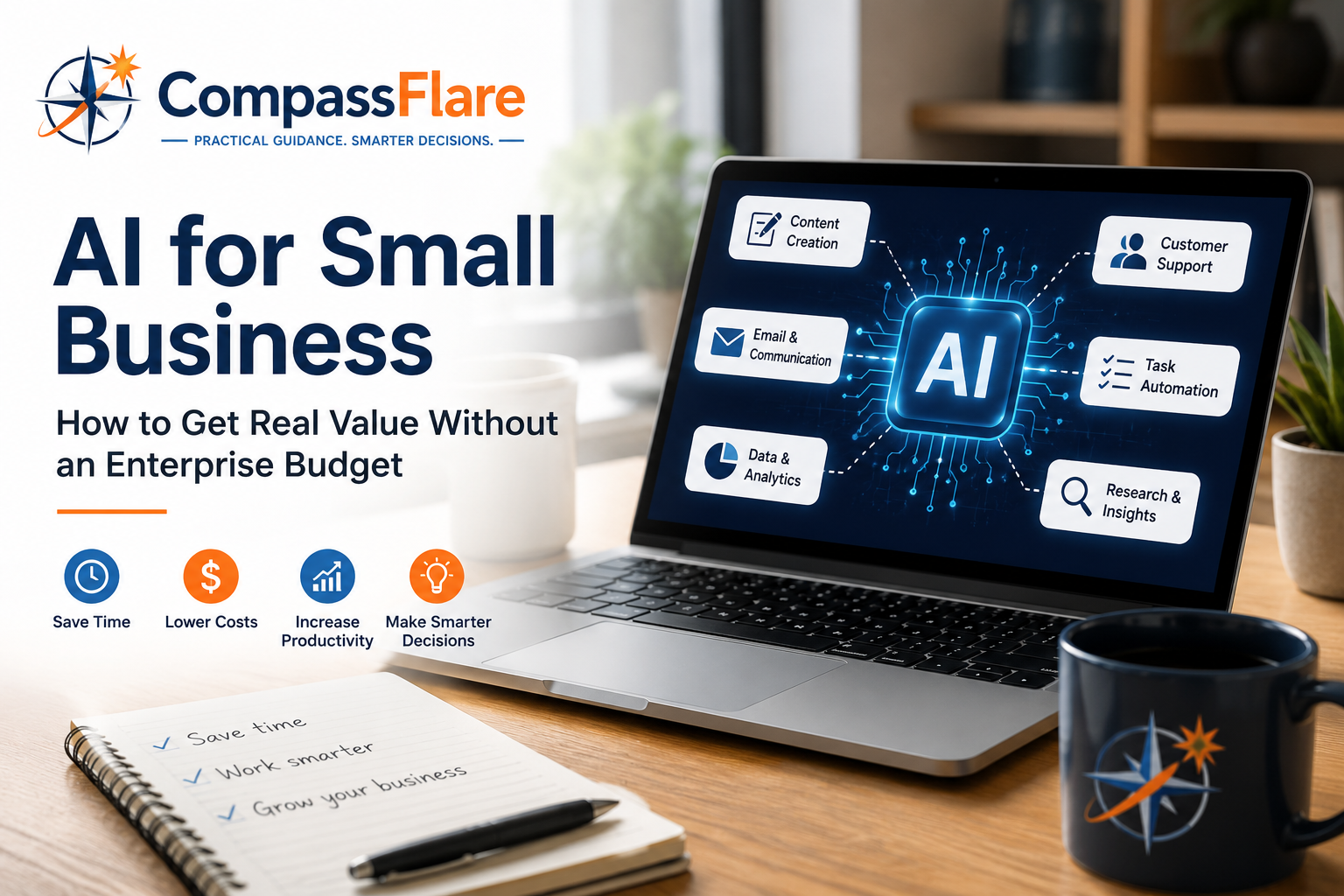
    AI for Small Business: How to Get Real Value Without an Enterprise Budget

    Artificial intelligence is rapidly becoming part of everyday business software. But much of the conversation around AI focuses on large companies with dedicated technology teams, substantial software budgets, and resources that most small businesses simply don’t have.

    That doesn’t mean AI is only for enterprise companies.

    For freelancers and small businesses, AI can be valuable precisely because resources are limited. The right tools can help one person accomplish work that previously required more time, additional software, or outside help.

    The key isn’t adopting AI everywhere.

    It’s identifying a few areas where AI can save enough time or improve enough work to justify the cost.

    At CompassFlare, that’s the approach we recommend.

    Start With the Work — Not the AI

    One of the easiest mistakes small businesses can make is buying an AI tool and then trying to figure out what to do with it.

    Reverse that process.

    Look at the work you already perform and ask:

    What takes too much time?

    That might include:

    • Writing emails and documents
    • Researching products or competitors
    • Creating marketing content
    • Summarizing meetings
    • Responding to common customer questions
    • Analyzing spreadsheets
    • Preparing proposals
    • Creating presentations
    • Organizing information
    • Automating repetitive administrative work

    Those are potential AI opportunities.

    If AI doesn’t solve an actual problem, you probably don’t need another subscription.

    1. Use a General AI Assistant First

    Most small businesses don’t need five different AI products to get started.

    A capable general-purpose AI assistant can handle a surprisingly broad range of tasks.

    Tools such as ChatGPT, Microsoft Copilot, Google Gemini, and Claude can assist with research, writing, brainstorming, analysis, planning, summarization, and other everyday work.

    Where they can help

    A small business owner might use an AI assistant to turn rough notes into a customer email, summarize a long document, compare software options, brainstorm marketing ideas, analyze information, create an outline for a proposal, or prepare questions for a meeting.

    The important part is using AI as an assistant, not blindly treating its output as fact.

    Review important information before using it with customers or making business decisions.

    CompassFlare tip

    Choose one primary AI assistant and learn to use it well before paying for several overlapping services.

    For many small businesses, that’s the most economical way to begin.

    2. Use AI Inside Software You Already Pay For

    Before purchasing standalone AI products, check the software your business already uses.

    AI capabilities are increasingly being incorporated into productivity suites, CRM platforms, accounting applications, website builders, marketing platforms, project-management software, and customer-service systems.

    This can be significantly more economical than assembling a collection of separate AI subscriptions.

    If your existing CRM can summarize customer interactions, for example, you may not need another product specifically for that task.

    The same principle applies to email, documents, meetings, marketing, and other business functions.

    Use the capabilities you’re already paying for before expanding the technology stack.

    3. Use AI to Stretch Your Marketing Budget

    Marketing is one area where AI can provide substantial leverage for a small business.

    AI can help create first drafts for:

    • Blog articles
    • Email campaigns
    • Product descriptions
    • Social posts
    • Video outlines
    • Advertising concepts
    • Landing-page copy
    • SEO content ideas

    But there’s an important distinction.

    AI should accelerate your expertise—not replace it.

    Publishing large amounts of generic AI-generated content isn’t much of a competitive advantage when every other business can do exactly the same thing.

    Your experience, opinions, customer knowledge, examples, and judgment are what make the content useful.

    Let AI help with the production process while keeping the business’s actual perspective in the final product.

    4. Make Customer Service More Efficient

    Small businesses don’t usually have large customer-support departments.

    That makes efficiency particularly important.

    AI can help draft responses, summarize customer conversations, organize support information, create frequently asked questions, and power basic self-service experiences.

    That doesn’t mean every customer should be handed to a chatbot.

    Complicated problems, sensitive situations, and important customer relationships still benefit from human attention.

    A better goal is to let AI handle some of the repetitive work so people have more time for situations where human judgment matters.

    5. Turn Meetings Into Useful Information

    Meetings create a surprising amount of administrative work.

    Someone has to take notes, identify decisions, capture action items, and make sure something actually happens afterward.

    AI-enabled meeting tools can help generate transcripts, summaries, and action items automatically.

    For a small team, eliminating even a few hours of meeting administration each month can create meaningful value.

    Before recording or transcribing meetings, however, understand the privacy requirements and obtain any consent required in your jurisdiction or situation.

    6. Use AI to Understand Your Business Data

    You don’t necessarily need a team of data scientists to ask better questions about your business.

    Modern AI tools can help users work through spreadsheets, identify patterns, summarize reports, explain formulas, categorize information, and explore data.

    A business owner might ask questions such as:

    Which products are growing fastest?

    Where are expenses increasing?

    Which customers haven’t purchased recently?

    What patterns exist in customer feedback?

    AI doesn’t eliminate the need to verify numbers, but it can make business information considerably easier to explore.

    7. Automate Small Processes Before Big Ones

    The word “automation” can make AI sound like an enormous technology project.

    It doesn’t have to be.

    Start small.

    For example:

    Website form → CRM → follow-up task → draft email

    Or:

    Meeting transcript → summary → action items → project-management tasks

    Or:

    Customer inquiry → categorize → draft response → human review

    Small automations can eliminate repetitive work without requiring an enterprise transformation project.

    Once one workflow proves valuable, automate another.

    How Much Should a Small Business Spend on AI?

    There’s no universal number.

    A better question is:

    What is this tool replacing or improving?

    Suppose an AI subscription costs $20–$30 per month and reliably saves three hours of work.

    For many business owners, that’s an easy calculation.

    But five $30 subscriptions that perform overlapping functions suddenly become $1,800 per year.

    That’s where AI budgets quietly get out of control.

    Start with a small monthly budget. Add another product only when you can explain what problem it solves that your existing tools cannot.

    A Practical Small-Business AI Stack

    You don’t need dozens of products.

    A lean AI-enabled business might have:

    One general AI assistant
    For research, writing, analysis, brainstorming, and everyday assistance.

    Your existing productivity platform
    For email, documents, spreadsheets, meetings, and collaboration.

    Your CRM or business platform
    For customer information, sales, workflows, and automation.

    One specialized AI tool — if justified
    Perhaps for meetings, design, video, customer support, or another function important to your particular business.

    That’s enough for many organizations.

    Add technology when the business case exists—not because another AI product launched this week.

    Don’t Ignore AI Privacy and Security

    Lower cost shouldn’t mean lower standards.

    Before putting business information into an AI service, understand what you’re sharing.

    Be especially careful with customer information, financial records, passwords, proprietary information, employee data, contracts, and other confidential material.

    Review the provider’s privacy and data-handling policies and use appropriate business versions of products when sensitive business information is involved.

    And don’t assume AI output is correct simply because it sounds confident.

    AI can assist with judgment. It doesn’t eliminate the need for it.

    The CompassFlare Take

    Small businesses don’t need enterprise AI budgets to benefit from artificial intelligence.

    They need focused use cases.

    Start with one good AI assistant. Explore the AI capabilities already included in the software you use. Identify repetitive work that consumes time. Automate small processes. Measure whether you’re actually getting value.

    Then expand.

    A $20 tool that consistently saves several hours can be far more valuable to a small business than a sophisticated enterprise platform containing capabilities it will never use.

    The objective isn’t to build the biggest AI stack.

    It’s to build a smarter business without building a bigger technology bill.

    CompassFlare Disclosure

    CompassFlare independently evaluates software with a focus on practical value for freelancers and small businesses. Some links on this page may be affiliate links, which means we may earn a commission if you purchase through them at no additional cost to you. Affiliate relationships do not determine our recommendations.

  • How to Keep Track of Customers and Leads: A Simple Guide to CRM Software

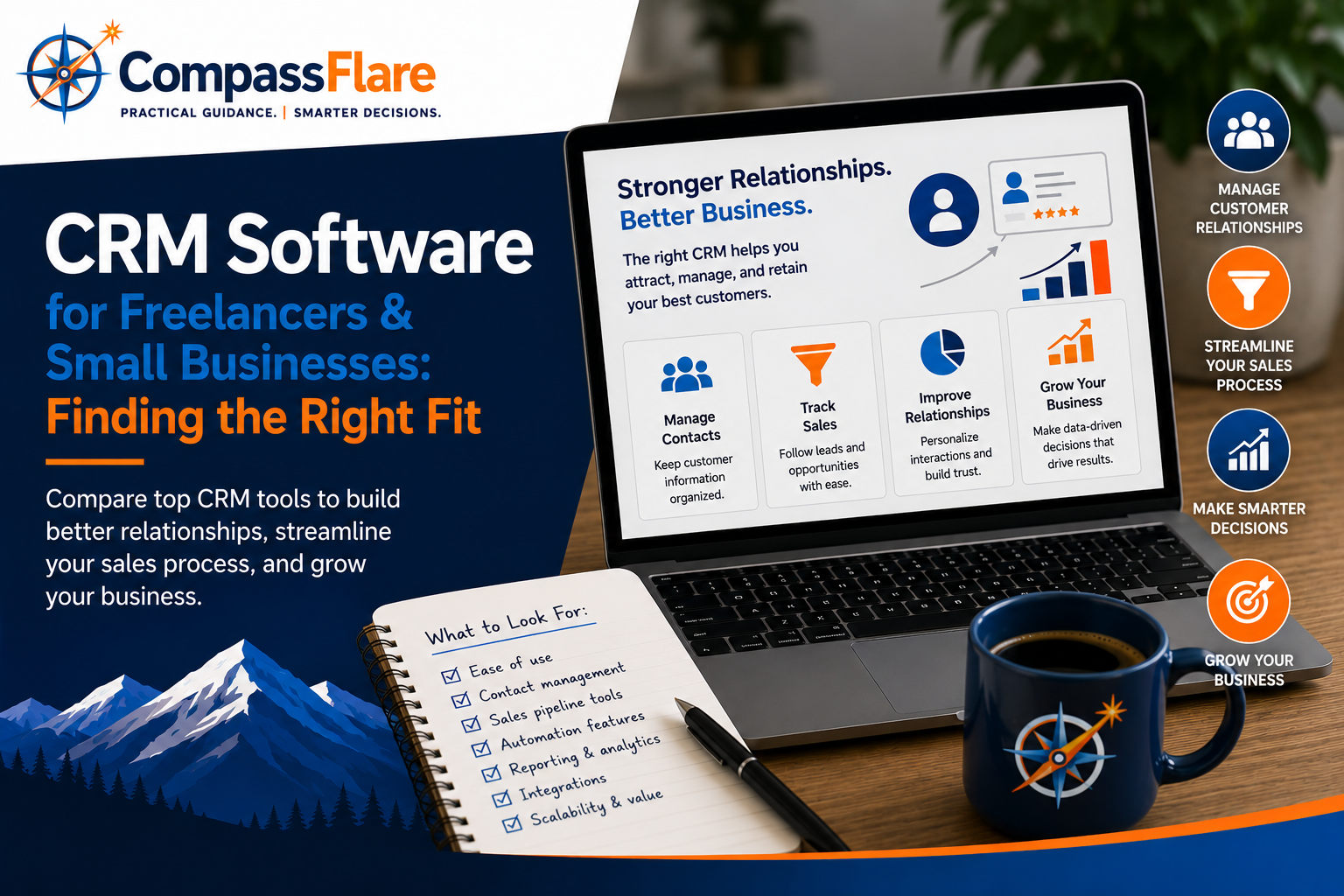
    How to Keep Track of Customers and Leads: A Simple Guide to CRM Software

    Updated: August 2026

    If you’re keeping customer details in spreadsheets, searching through emails for past conversations, or trying to remember which prospects need a follow-up, you may have reached the point where you need a better system.

    That type of system is commonly called customer relationship management software, or CRM software.

    A CRM gives you one place to organize customers and potential customers, track conversations, manage sales opportunities, schedule follow-ups, and see where each relationship stands.

    And CRM software isn’t just for companies with large sales departments.

    For a freelancer, consultant, agency, or small business, a CRM can simply mean fewer missed follow-ups, better organization, and a clearer picture of where new business is coming from.

    But that doesn’t mean every small business needs one—or that you should buy the platform with the longest feature list.

    At CompassFlare, we focus on practical value. The better question is whether you need a CRM at all and, if you do, which platform fits your workflow, budget, and growth stage.

    Disclosure: CompassFlare may earn a commission if you purchase through certain links. That support helps us publish reviews and guides, but it does not determine our recommendations.

    What Is CRM Software?

    CRM stands for customer relationship management.

    Despite the technical-sounding name, the basic idea is straightforward: CRM software helps you keep track of the people and businesses you sell to.

    Instead of having customer information scattered across email, spreadsheets, notes, calendars, and your memory, a CRM can bring much of that information together.

    Depending on the platform, you may be able to:

    • Store customer and prospect contact information
    • Track leads and sales opportunities
    • Record conversations and interactions
    • Schedule calls, meetings, and follow-ups
    • See which stage a potential sale has reached
    • Assign tasks to yourself or team members
    • Automate repetitive sales activities
    • Review reports showing how your sales process is performing

    Think of a CRM as the organized workspace behind your customer relationships and sales process.

    You don’t necessarily need every one of those capabilities. The important question is which problems you’re trying to solve.

    Do You Actually Need a CRM?

    Not every freelancer or small business needs CRM software.

    If you work with a handful of long-term clients and rarely manage new prospects, a spreadsheet, contact list, and calendar may be perfectly adequate.

    A CRM becomes more useful when things start becoming difficult to track manually.

    For example, it may be time to consider one if:

    • You regularly forget or delay follow-ups.
    • Customer information is scattered across several places.
    • You’re managing multiple potential customers at once.
    • You send proposals and need to remember which ones are still open.
    • More than one person needs visibility into customer relationships.
    • You’re having trouble seeing where potential sales stand.
    • Your spreadsheet is becoming increasingly complicated.
    • You’re losing opportunities because there isn’t a consistent sales process.

    If none of those problems sound familiar, you may not need another piece of software yet.

    That’s an important distinction. The goal isn’t to own a CRM. The goal is to solve a customer-management problem.

    CRM vs. a Spreadsheet: When Is It Time to Move?

    For a very small business, starting with a spreadsheet isn’t necessarily a mistake.

    A spreadsheet can be inexpensive, familiar, and flexible. You might track a customer’s name, contact information, last conversation, potential sale, and next follow-up date.

    The problem comes as the number of customers, prospects, conversations, and tasks grows.

    A CRM can make it easier to connect those pieces. Instead of manually maintaining rows and columns, you can see contact histories, upcoming tasks, deal stages, and other information within a system specifically designed for managing customer relationships.

    If your spreadsheet is still working, don’t replace it just because CRM software exists.

    If maintaining the spreadsheet is becoming part of the problem, however, that’s a good signal to start evaluating CRM options.

    HubSpot vs. Zoho CRM vs. Freshsales vs. Pipedrive: Quick Comparison

    These four platforms approach customer relationship management differently.

    HubSpot emphasizes ease of use and ecosystem breadth. Zoho CRM leans into flexibility and value. Freshsales focuses heavily on sales workflows. Pipedrive is built around visual pipeline management.

    CRMRecommended FitEase of UseCRM DepthBudget Fit
    HubSpot CRMOverall small-business useExcellentExcellentExcellent–Moderate
    Zoho CRMValue & customizationGoodExcellentExcellent
    FreshsalesSales-focused small teamsGoodGood–ExcellentGood
    PipedrivePipeline-driven sales teamsExcellentGoodGood

    CompassFlare note: Don’t choose from this table based only on ratings. First identify what you’re having trouble managing—contacts, follow-ups, leads, deals, or a larger sales process. Then look for the CRM that solves those problems without adding unnecessary complexity.


    HubSpot CRM — A Strong Overall Fit for Small Businesses

    Who it’s a good fit for

    HubSpot CRM is a strong starting point for freelancers and small businesses that want a clean interface, a practical free entry point, and room to expand later.

    If you’re new to CRM software, that accessibility is particularly valuable. You can begin with relatively basic customer and sales organization rather than immediately building a complicated system.

    HubSpot currently offers free CRM tools with no expiration date. Its official product information highlights capabilities such as contact management, deal pipelines, meeting scheduling, email tracking, quote generation, and live chat among its free tools.

    Why we like it

    HubSpot combines straightforward contact and deal management with a much larger ecosystem of marketing, sales, and service tools.

    That can be useful for a growing business because you don’t necessarily have to replace your CRM as your needs become more sophisticated.

    A freelancer or small company might initially use HubSpot simply to organize contacts and opportunities, then add additional capabilities later.

    Where it falls short

    That larger ecosystem can also become more expensive as a business moves beyond free tools and into advanced paid features.

    Businesses that already know they’ll need deeper customization or want more predictable lower-cost scaling may find better long-term value elsewhere.

    Who should choose HubSpot

    Choose HubSpot if you’re relatively new to CRM, want an approachable starting point, value a free entry option, and like having access to a larger ecosystem as your business grows.

    Who should skip it

    Skip HubSpot if you already know you’ll need advanced functionality and want predictable lower-cost scaling from the beginning.

    CompassFlare verdict: A strong overall fit for small businesses that want an approachable introduction to CRM with room to grow.


    Zoho CRM — A Strong Fit for Value and Customization

    Who it’s a good fit for

    Zoho CRM is a strong choice for cost-conscious businesses that want serious customer and sales management capabilities, deeper customization, and access to a broader software ecosystem without immediately moving toward premium-platform pricing.

    It becomes particularly compelling for businesses already using—or considering—other Zoho products.

    Why we like it

    Zoho CRM covers the fundamentals of lead, contact, account, and deal management while also offering workflow automation, reporting, and customization.

    Its Free edition includes basic lead, contact, account, and deal management for up to three users, giving very small teams a way to explore the platform before upgrading.

    For a business that already understands its workflow and wants more control over how its CRM is configured, that flexibility can be valuable.

    Where it falls short

    More options don’t always mean a better experience.

    Zoho’s breadth can make it feel less immediately intuitive than HubSpot for someone using CRM software for the first time.

    A very small business primarily looking for simplicity may prefer a platform that requires fewer decisions during setup.

    Who should choose Zoho CRM

    Choose Zoho CRM if value, customization, automation, and access to a larger suite of business tools matter more than having the simplest possible interface.

    Who should skip it

    Skip Zoho CRM if your highest priority is getting started with the simplest possible CRM experience.

    CompassFlare verdict: A strong fit for budget-conscious businesses that want customization and broader software-suite potential.


    Freshsales — A Strong Fit for Sales-Focused Small Teams

    Who it’s a good fit for

    Freshsales is well suited to small teams whose biggest problem is organizing the sales process.

    That could mean keeping track of new prospects, remembering follow-ups, seeing which opportunities are moving forward, and making sure potential customers don’t disappear because nobody knows what should happen next.

    Why we like it

    Freshsales takes a sales-oriented approach to CRM rather than trying to become everything for everyone.

    For small teams that mainly need to manage leads, track conversations, and move potential sales forward, that focus can be an advantage.

    It also belongs to the broader Freshworks ecosystem, giving businesses additional options if they later need adjacent tools such as customer support software.

    Where it falls short

    Businesses primarily looking for an extensive marketing platform or highly customizable CRM architecture may find Freshsales narrower than HubSpot or Zoho CRM.

    Who should choose Freshsales

    Choose Freshsales if your primary goal is giving a small sales team a focused system for managing prospects, follow-ups, and sales opportunities.

    Who should skip it

    Skip Freshsales if you primarily need a broad marketing platform rather than a more sales-centered CRM.

    CompassFlare verdict: A strong fit for smaller sales teams that want practical tools for keeping sales activity organized.


    Pipedrive — A Strong Fit for Visual Pipeline Management

    Who it’s a good fit for

    Pipedrive makes the most sense for businesses with a recognizable series of steps between finding a potential customer and completing a sale.

    For example:

    New lead → Initial conversation → Proposal sent → Negotiation → Won or lost

    That sequence is called a sales pipeline, and Pipedrive is designed to make it easy to see where each potential deal sits within it.

    Its visual approach can be particularly useful for consultants, agencies, service businesses, and other companies with clearly defined sales steps.

    Why we like it

    Pipedrive’s strength is focus.

    Rather than making CRM feel like a massive do-everything business platform, it keeps attention on deals, stages, follow-ups, and sales activity.

    For a business moving away from spreadsheets or informal lead tracking, being able to visually see where every potential sale stands can make the transition to CRM easier to understand.

    Where it falls short

    Businesses looking for an all-in-one marketing, service, content, and CRM ecosystem may find Pipedrive too specialized.

    That focus isn’t necessarily a disadvantage. It simply means Pipedrive makes the most sense when managing the sales pipeline is the primary problem you’re trying to solve.

    Who should choose Pipedrive

    Choose Pipedrive if your business has a defined sales process and you want a clean, visual system centered on moving opportunities from one stage to the next.

    Who should skip it

    Skip Pipedrive if you want your CRM to serve as the foundation for a much broader marketing and customer-engagement platform.

    CompassFlare verdict: A strong fit for businesses that want straightforward pipeline visibility and sales-process clarity.

    Want to see if Pipedrive fits your sales workflow?
    CompassFlare readers can try Pipedrive free for 30 days before deciding whether it’s the right fit for their business.

    Try Pipedrive Free for 30 Days →

    Which CRM Software Should You Choose?

    If you’ve decided that managing customers and leads manually is becoming difficult, here’s the simplest way to narrow the choices.

    Choose HubSpot CRM if…

    You’re new to CRM or want an easy-to-use system with a useful free starting point and the ability to grow into a broader ecosystem later.

    Choose Zoho CRM if…

    You want strong value, customization, automation, or the ability to connect your CRM with a broader suite of business tools.

    Choose Freshsales if…

    Your biggest challenge is giving a small sales team a focused system for managing prospects, follow-ups, and sales activity.

    Choose Pipedrive if…

    You have a repeatable sales process and want a straightforward visual way to see where every potential deal stands.

    Still Not Sure Whether You Need a CRM?

    Before choosing software, ask yourself these four questions:

    1. Am I losing track of leads or customer information?

    If customer information is already difficult to find, centralizing it may provide immediate value.

    2. Am I missing follow-ups?

    If potential business is slipping away because you’re forgetting calls, emails, or proposals, a CRM can help create a more consistent process.

    3. Do I need to know where potential sales stand?

    If you regularly have several prospects at different stages, pipeline tracking becomes much more useful.

    4. Is my current system actually causing work?

    A spreadsheet that works is fine. A spreadsheet that requires constant manual maintenance, duplicate entry, and reminders outside the system may be telling you it’s time for something better.

    If you answered no to most of these questions, you may not need CRM software yet.

    And that’s okay.

    Good software should eliminate a problem—not create another subscription.


    Our Bottom Line

    For freelancers and small businesses that are new to customer relationship management, HubSpot CRM is a practical place to start because it combines usability, a credible free entry point, and room to expand.

    Zoho CRM is particularly compelling for budget-conscious businesses that want more customization and broader software-suite potential.

    Freshsales is a strong fit when organizing sales activity is the primary objective.

    And Pipedrive stands out when you have a repeatable sales process and want to manage potential deals through a clear visual pipeline.

    But don’t start by asking which CRM has the most features.

    Start by asking:

    What are we having trouble keeping track of?

    If the answer is customers, leads, conversations, proposals, follow-ups, or potential sales, CRM software may be worth considering.

    Then choose the simplest platform that solves those problems and gives you reasonable room to grow.


    How CompassFlare Evaluates CRM Software

    We evaluate CRM platforms based on practical fit rather than feature count alone.

    That means looking at how easy a product is to adopt, how well it supports common small-business workflows, how flexible it is as needs change, and whether its pricing remains reasonable as usage grows.

    For CRM software, we consider:

    • Ease of use
    • Contact and lead management
    • Pipeline visibility
    • Follow-up and task management
    • Automation options
    • Reporting
    • Integrations
    • Long-term value

    We also consider who shouldn’t buy a product.

    Excellent software can still be the wrong choice if it adds complexity, cost, or capabilities a business doesn’t actually need.

    CompassFlare may earn commissions when readers purchase software through certain links, but editorial direction is based on fit and usefulness—not affiliate payout.


    Frequently Asked Questions

    What does CRM mean?

    CRM stands for customer relationship management.

    CRM software helps businesses organize information about customers and potential customers, track interactions, manage leads and sales opportunities, and keep up with follow-ups.

    For a small business, it can essentially become the central place for answering questions such as: Who is this customer? When did we last talk? What are they interested in? What needs to happen next?

    Does a small business really need CRM software?

    Not necessarily.

    A very small business with a handful of customers may be perfectly organized using email, a calendar, contacts, or a spreadsheet.

    CRM software becomes more useful as the number of leads, customers, conversations, proposals, and follow-ups becomes difficult to manage manually.

    Does a freelancer need a CRM?

    It depends on how the freelancer gets and manages business.

    Someone with a few long-term recurring clients may not need one. A freelancer regularly handling inquiries, consultations, proposals, follow-ups, and multiple potential projects may get considerably more value from a CRM.

    Is a CRM better than a spreadsheet?

    Not automatically.

    A spreadsheet may be completely adequate when you’re managing a small number of contacts and opportunities.

    A CRM becomes more useful when you need contact histories, follow-up reminders, deal stages, tasks, reporting, or multiple people working from the same customer information.

    What CRM software works well for a small business?

    HubSpot CRM is a practical fit for many small businesses that want an approachable starting point and room to expand later.

    Zoho CRM is a strong option for businesses prioritizing customization and value. Freshsales is worth considering for sales-focused small teams, while Pipedrive is particularly well suited to businesses that prefer visual pipeline management.

    The best choice depends on the problem you’re trying to solve.

    What free CRM options should a small business consider?

    HubSpot provides a practical free starting point for very small businesses, with tools covering several core customer and sales-management tasks.

    Zoho CRM also provides a Free edition for up to three users with basic lead, contact, account, and deal management.

    Free plans have limitations, so consider not only what you need today but what paid capabilities you may realistically need as the business grows.

    What’s the difference between a contact and a lead?

    A contact is generally a person whose information you’re storing and managing.

    A lead is typically someone who may become a customer but hasn’t yet completed a purchase or become an established client.

    The exact terminology and workflow can vary between CRM platforms.

    What is a sales pipeline?

    A sales pipeline is the series of stages a potential customer moves through before a sale is completed.

    For a small service business, that might look like:

    New inquiry → Consultation → Proposal → Decision → Won or lost

    CRM platforms can help you see which opportunities are at each stage and what needs to happen next.

    Should I choose HubSpot or Zoho CRM?

    Choose HubSpot if ease of use, a strong free starting point, and access to a broader ecosystem matter most.

    Choose Zoho CRM if customization, value, automation, and integration with a broader suite of business applications are higher priorities.

    Can I switch CRM software later?

    Yes, but switching becomes more complicated as your contact database, automations, integrations, and sales workflows become more established.

    That’s why you should consider both what your business needs today and what it may realistically need over the next few years.


    Final Recommendation

    Before comparing CRM products, identify the three or four problems you’re actually trying to solve.

    Maybe you’re losing track of potential customers.

    Maybe follow-ups are being forgotten.

    Maybe you can’t easily tell which proposals are still outstanding.

    Maybe customer information is scattered across email, spreadsheets, and notes.

    Those problems matter more than whether one CRM offers 150 features and another offers 120.

    Once you understand the problem, the terminology becomes much less intimidating:

    CRM software is simply a tool for helping you organize and manage customer relationships and the process of turning prospects into customers.

    Start with the problem.

    Then choose the software that fits.

  • Accounting Software for Freelancers & Small Businesses: Choosing the Right Fit

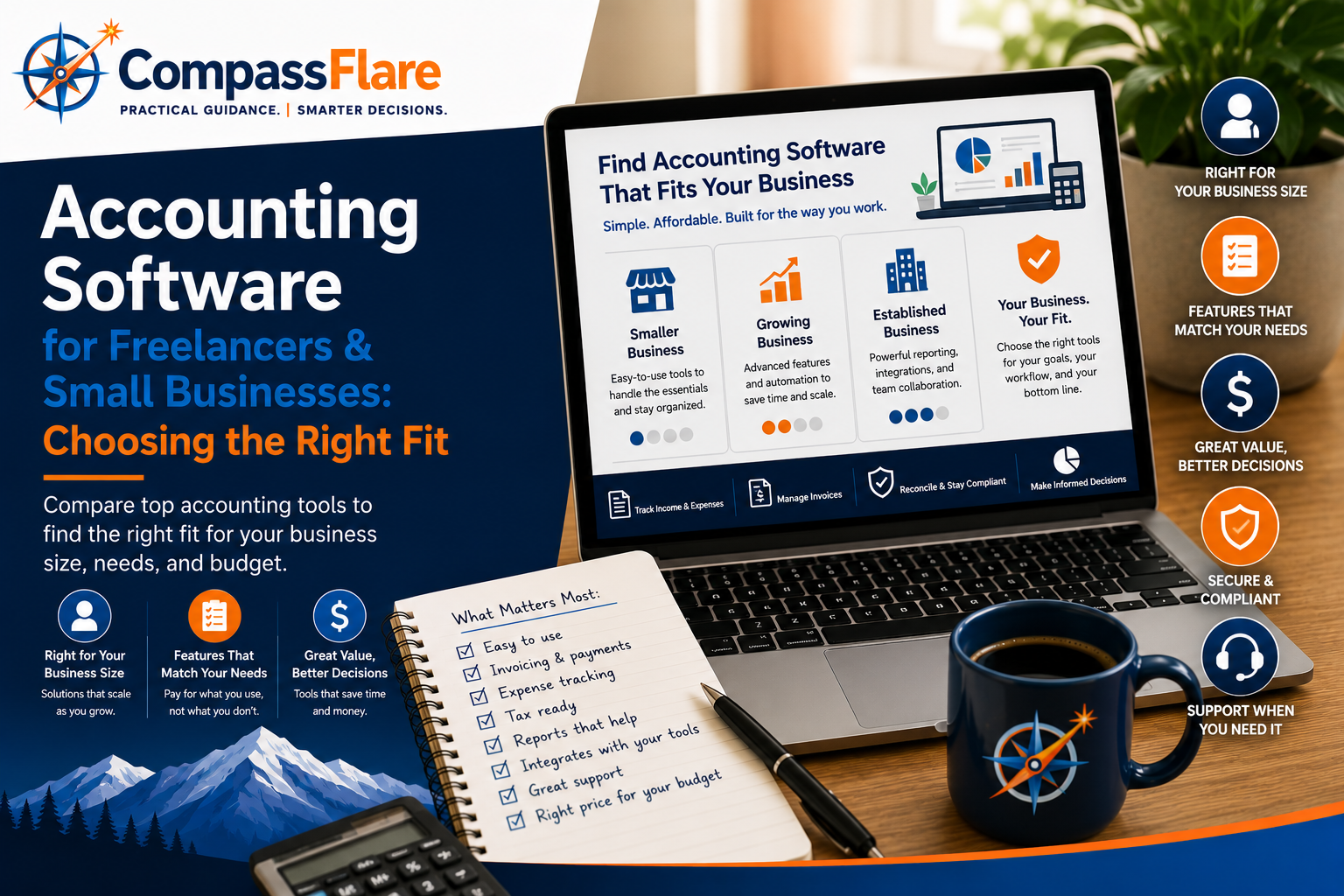
    Accounting Software for Freelancers & Small Businesses: Choosing the Right Fit

    Choosing accounting software shouldn’t mean paying for features you’ll never use. Whether you’re a freelancer managing invoices and expenses or a growing small business that needs better financial visibility, the right accounting platform should fit your workflow and your budget.

    At CompassFlare, we focus on practical value rather than simply recommending the platform with the longest feature list. We compared accounting software based on ease of use, everyday accounting capabilities, scalability, and overall value for freelancers and small to medium-sized businesses.

    Disclosure: CompassFlare may earn a commission if you purchase through certain links on this page, at no additional cost to you. Our recommendations are based on our independent evaluation of each product’s fit, features, usability, and value.

    QuickBooks vs. FreshBooks vs. Wave vs. Xero: Quick Comparison

    These four platforms serve different types of businesses. QuickBooks offers the broadest accounting capabilities, FreshBooks focuses on freelancers and service businesses, Wave keeps things simple for budget-conscious users, and Xero provides strong accounting and collaboration features for growing businesses.

    SoftwareGood Fit ForEase of UseAccounting DepthBudget Fit
    QuickBooks OnlineSmall businessesGoodExcellentModerate
    FreshBooksFreelancers & servicesExcellentGoodModerate
    WaveFreelancers & very small businessesExcellentBasic–GoodExcellent
    XeroGrowing businessesGoodExcellentModerate

    CompassFlare note: The right choice doesn’t mean the most features. We give significant weight to whether a product delivers useful capabilities at a sensible cost for the business it’s designed to serve.

    Accounting Software Options for 2026

    There isn’t one accounting platform that fits every business. The right choice depends on how you work, which features you actually need, and how much complexity you’re willing to manage. Here are the options we think are worth considering first.

    QuickBooks Online — A strong overall fit for small businesses

    A strong all-around choice for businesses that want comprehensive accounting features and room to grow.

    FreshBooks — A strong fit for freelancers and service businesses

    A simpler option built around invoicing, expenses, time tracking, and client-based work.

    Wave — A strong fit for budget-conscious businesses

    A practical starting point for freelancers and very small businesses that want core accounting capabilities while keeping costs down.

    Xero — A strong fit for growing businesses and collaboration

    A capable accounting platform for businesses that value integrations, collaboration, and more sophisticated financial management.

    QuickBooks Online — A strong overall fit for small businesses

    Who it’s a good fit for

    QuickBooks Online is one of our strongest overall choices for small businesses that want a mature accounting platform they can continue using as their financial needs become more complex. It combines everyday bookkeeping with invoicing, expense tracking, financial reporting, bank connectivity, and access for accounting professionals.

    Why we like it

    QuickBooks provides considerably more accounting depth than many lightweight tools aimed primarily at freelancers. Businesses can track income and expenses, manage invoices and bills, capture receipts, connect financial accounts, and generate financial reports from one platform. Higher-tier plans add more sophisticated reporting, budgeting, project profitability, inventory-related capabilities, and other tools.

    Where it falls short

    That depth comes with additional complexity and cost. A freelancer who primarily needs straightforward invoicing and expense tracking may find QuickBooks more than they need. Features also vary significantly by subscription level, so businesses should choose a plan based on the capabilities they actually use rather than automatically upgrading.

    Who should choose QuickBooks

    Choose QuickBooks if you expect your bookkeeping needs to grow, work closely with an accountant or bookkeeper, want stronger financial reporting, or prefer having more of your financial operations within one established accounting platform.

    Who should skip it

    Skip QuickBooks if your needs are very simple and keeping monthly software costs as low as possible is the priority. A freelancer sending a handful of invoices and tracking basic expenses may get better value from a simpler alternative.

    CompassFlare verdict: A strong overall fit for small businesses that value accounting depth and room to grow.

    FreshBooks — A strong fit for freelancers and service businesses

    Who it’s a good fit for

    FreshBooks is our top choice for freelancers and service-based businesses that spend much of their time working with clients. Its combination of invoicing, expense tracking, time tracking, estimates, proposals, payments, and accounting tools makes it particularly well suited to consultants, contractors, agencies, and other businesses that bill clients for their work.

    Why we like it

    FreshBooks puts client billing at the center of the experience. You can track time against clients and projects, turn billable time into invoices, monitor expenses, accept online payments, automate recurring invoices and payment reminders, and keep client information organized. Plus and higher plans also provide accounting reports, bank reconciliation, receipt scanning, and accountant access.

    Where it falls short

    FreshBooks becomes less compelling when a business needs deeper accounting functionality or has many users. Some accounting features require higher-tier plans, and additional team members currently cost extra on most plans. FreshBooks also limits billable clients on its Lite and Plus plans, so growing businesses should pay attention to client limits when comparing costs.

    Who should choose FreshBooks

    Choose FreshBooks if your business revolves around clients, projects, billable hours, invoices, and getting paid. It’s particularly attractive for freelancers and service businesses that want accounting software without making everyday bookkeeping unnecessarily complicated.

    Who should skip it

    Skip FreshBooks if you need more sophisticated accounting capabilities, have a larger team that needs regular access, or expect your accounting requirements to become substantially more complex as the business grows.

    CompassFlare verdict: A strong fit for freelancers and service businesses that prioritize invoicing, client management, and ease of use.

    Wave — A strong fit for budget-conscious businesses

    Who it’s a good fit for

    Wave is our budget pick for freelancers, solopreneurs, and very small businesses that need straightforward bookkeeping and invoicing without immediately adding another monthly software subscription. Its Starter plan currently costs $0 and includes unlimited estimates, invoices, bills, and bookkeeping records.

    Why we like it

    Wave provides an unusually useful starting point for a free accounting product. The Starter plan covers core bookkeeping and invoicing, while businesses that need more automation can move to Wave Pro. Pro adds features including automatic bank transaction imports, automatic transaction merging and categorization, digital receipt capture, automated late-payment reminders, and additional user access.

    Where it falls short

    Wave’s strongest advantage is simplicity and value, but that also means it isn’t our first choice for businesses with more complex accounting requirements. Some of its most useful automation features require Pro, while payroll, payment processing, bookkeeping assistance, and certain other services involve additional fees.

    Who should choose Wave

    Choose Wave if you’re a freelancer, independent professional, or very small business that needs solid bookkeeping and invoicing basics while keeping recurring software expenses low. It’s also a sensible option for someone moving away from spreadsheets who doesn’t yet need a more complex accounting system.

    Who should skip it

    Skip Wave if you already know your business needs deeper accounting functionality, sophisticated reporting, complex inventory management, or a broader accounting platform designed to support increasingly complicated financial operations.

    CompassFlare verdict: A strong fit for freelancers and very small businesses that want useful accounting fundamentals without paying for features they don’t need.

    Xero — A strong fit for growing businesses and collaboration

    Who it’s a good fit for

    Xero is our pick for growing businesses that want strong accounting capabilities without being locked into per-user pricing. It combines core accounting tools with reporting, bank reconciliation, invoicing, bill management, cash-flow visibility, and a broad ecosystem of connected business applications.

    Why we like it

    Xero offers a strong progression from basic accounting into more sophisticated financial management. Its plans include tools for invoicing, payments, bills, bank reconciliation, document capture, reporting, sales tax, and cash-flow forecasting. Higher tiers add capabilities such as multiple currencies, project time and cost tracking, employee expense claims, KPI analysis, and longer-range cash-flow forecasts.

    Another advantage is that Xero currently advertises no per-user license fees, which can make it attractive for businesses where multiple people need access to the accounting system.

    Where it falls short

    Xero may be more accounting software than a solo freelancer needs, particularly if the primary requirements are simply sending invoices and tracking basic expenses. Its entry-level Early plan also limits businesses to 20 invoices and five bills, so businesses with higher transaction volumes will likely need a higher-tier plan.

    Who should choose Xero

    Choose Xero if your business is growing, multiple people need access, integrations with other business applications matter, or you want an accounting platform that can accommodate more sophisticated financial management over time.

    Who should skip it

    Skip Xero if you are a freelancer with very basic bookkeeping needs or if keeping accounting software costs at an absolute minimum is more important than scalability and advanced functionality.

    CompassFlare verdict: A strong fit for growing businesses that value collaboration, integrations, and accounting capabilities that can scale with them.

    Which Accounting Software Should You Choose?

    Choose QuickBooks Online if…

    You run a small business with more substantial bookkeeping needs, want strong financial reporting, work with an accountant or bookkeeper, or expect your accounting requirements to become more complex over time.

    Choose FreshBooks if…

    You’re a freelancer, consultant, contractor, or service business where invoicing clients, tracking billable time, managing projects, and getting paid are central to how you operate.

    Choose Wave if…

    You’re a freelancer or very small business with relatively straightforward accounting needs and want to keep recurring software expenses as low as possible.

    Choose Xero if…

    Your business is growing, several people need access to the accounting system, integrations matter, or you want sophisticated accounting capabilities without paying separately for every user.

    Our Bottom Line

    For many established small businesses, QuickBooks Online is one of the strongest options because of its accounting depth and ability to grow with the business. FreshBooks gets our recommendation for client-focused freelancers and service businesses, while Wave provides compelling value for businesses with simpler needs and tight budgets. Xero is particularly attractive for growing teams that value collaboration and integrations.

    The right choice isn’t the software with the most features. It’s the software that solves the problems your business actually has without making you pay for unnecessary complexity.

    How CompassFlare Evaluates Accounting Software

    We evaluate software based on practical fit rather than feature count alone. For accounting platforms, we consider ease of use, core accounting capabilities, invoicing and expense management, reporting, scalability, integrations, collaboration, and overall value.

    We also consider who shouldn’t buy a product. A platform can be excellent software and still be the wrong choice for a particular freelancer or small business.

    CompassFlare may eventually earn commissions when readers purchase software through certain links on our site. Affiliate relationships do not determine which products we recommend or how we evaluate them.

    Frequently Asked Questions

    What accounting software works well for a small business?

    For many established small businesses, QuickBooks Online is one of our strongest options because it combines everyday bookkeeping with strong reporting and room to handle more complex accounting needs as the business grows. QuickBooks’ reporting capabilities vary by plan, so businesses should compare the specific features they need before choosing a subscription.

    What accounting software works well for freelancers?

    FreshBooks is our preferred option for freelancers and service-based businesses that prioritize invoicing, client work, time tracking, and ease of use. Wave is particularly attractive when keeping recurring costs low is the priority.

    Is free accounting software good enough for a small business?

    Sometimes. A freelancer or very small business with straightforward bookkeeping needs may be well served by a free or low-cost platform. As a business grows, features such as more advanced reporting, automation, collaboration, inventory, payroll, or project accounting can make a paid platform worthwhile.

    Should I choose QuickBooks or FreshBooks?

    Choose QuickBooks if accounting depth, reporting, and scalability matter most. Choose FreshBooks if your business revolves primarily around clients, invoices, projects, and billable work. QuickBooks currently supports extensive invoicing and financial-reporting functionality, but available capabilities depend on the subscription.

    Can I switch accounting software later?

    Yes, but switching becomes more difficult as your financial history and business processes become more complicated. That’s why we recommend choosing based not only on what you need today, but also on what you’re reasonably likely to need over the next few years.

    Final Recommendation

    QuickBooks Online is one of our strongest choices for small businesses that want strong accounting capabilities and room to grow. FreshBooks is our preferred choice for freelancers and client-focused service businesses. Wave offers excellent value for very small businesses with straightforward needs, while Xero is a strong alternative for growing businesses that prioritize collaboration and integrations.

    Before choosing, identify the three or four accounting tasks your business actually needs to perform. Start there—not with the longest feature list.

  • How to Choose Business Software Without Overspending

    How to Choose Business Software Without Overspending

    Choosing software for your business should feel practical, not overwhelming. At CompassFlare, we help freelancers and small to medium-sized businesses cut through marketing noise and focus on tools that fit real budgets, real workflows, and real growth plans.

    The best software is not always the most expensive or the most popular. It is the one that solves your immediate problem, works well with your existing processes, and gives you room to grow without locking you into unnecessary costs.

    Start With the Problem

    Before comparing features, define what you actually need the software to do. Are you trying to manage projects more clearly, improve invoicing, organize customer communication, or reduce time spent on repetitive tasks? A clear problem statement makes it much easier to ignore flashy extras that do not deliver meaningful value.

    Focus on Daily Use

    A tool may look impressive in a demo but still create friction in everyday work. Think about who will use it, how often they will use it, and how much training it will require. Software that is easy to adopt often delivers better results than a feature-heavy platform your team avoids.

    Compare Total Cost

    Monthly pricing is only part of the picture. You should also consider setup time, onboarding effort, add-on fees, user limits, and the cost of switching later. Budget-conscious decisions come from understanding the full cost of ownership, not just the advertised starting price.

    Look for Practical Fit

    • Choose tools that match your current business size
    • Prioritize essential integrations over long feature lists
    • Check whether support resources are clear and accessible
    • Favor flexible plans that can scale with your needs

    Independent guidance matters because every business has different priorities. A freelancer may need simplicity and low cost, while a growing SMB may need stronger collaboration, reporting, or automation. The right recommendation depends on your goals, not on vendor hype.

    How CompassFlare Helps

    CompassFlare provides practical software recommendations, side-by-side comparisons, and clear technology guidance designed for cost-conscious decision makers. Our goal is to help you choose tools with confidence, avoid overspending, and build a software stack that supports your business without unnecessary complexity.

    Good software decisions are not about buying more. They are about choosing better.

    Make Your Next Choice Smarter

    If you are evaluating software and want a clearer path forward, CompassFlare is here to help. Explore our guides and comparisons, or reach out when you need practical direction tailored to your business.